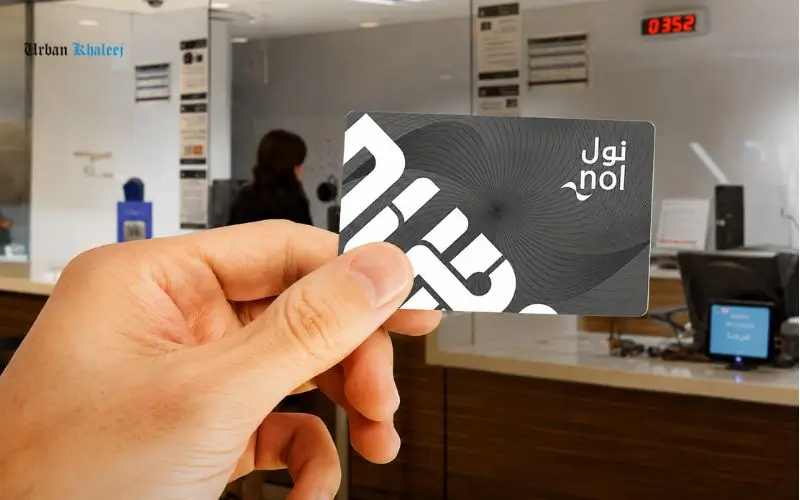
The NOL card balance check history feature enables Dubai commuters to see a history of all journeys made, deductions from their fare, their recharges, and their card balance updates. If you use the card every day on the metro, buses, trams, water buses, or parking services, it is possible to monitor your spending, check your transactions, and plan your travel budget more effectively by reviewing your transaction history. The official Roads and Transport Authority (RTA) said the NOL is a smart card that is currently being issued to Dubai’s public transport systems and other government services.
Nol Card Balance Check History – Quick Numerical Facts
| Feature | Details |
| Nol Card Tag ID Length | 10 Digits |
| Minimum Metro Balance Required | AED 7.50 |
| Silver Card Validity | 5 Years |
| Gold Card Validity | 5 Years |
| Blue Card Validity | 5 Years |
| Red Ticket Validity | 90 Days |
| Maximum Balance (Anonymous Card) | AED 1,000 |
| Maximum Balance (Registered Card) | AED 5,000 |
| Dubai Metro Lines Supported | 2 Main Lines (Red & Green) |
| Public Transport Modes Supported | 5+ Services |
| Daily Transaction Checks | Unlimited |
| Online Balance Check Time | Less Than 1 Minute |
| Mobile App Required | No Pay App |
| Metro Station Balance Check Machines | Available at Most Stations |
| Card Recharge Processing Time | Instant to 45 Minutes |
| Transaction History Availability | Recent Travel & Recharge Records |
| Customer Support Number | 800 9090 |
| Card Technology | Contactless Smart Card |
| Launch Year of nol Card | 2009 |
| RTA Authority Managing NOL Card | Roads and Transport Authority (RTA) |
What is a NOL card balance check history?
No card balance check history is the history of transactions that are linked with your card number. These records usually contain the following information:
- All trips involving the use of the Metro, bus, or tram service.
- Fare deductions
- Users can recharge their card or top up their account.
- Pending credit additions
- Balance changes
- Payments for parking (if applicable)
Regularly checking your history can help you notice the odd deductions, verify that a successful recharge was made, and maintain accurate
records of your transportation costs.
Read Also: Ratibi FAB Balance Check
Understanding the NOL Card System
The NOL card was launched by the Roads and Transport Authority to make public transport more seamless in Dubai.
Services Supported by nol Cards
Users can pay for:
- Dubai Metro
- Dubai Tram
- Public buses
- Water buses
- Selected taxi services
- Public parking services
The card is based on the contactless smart card technology, which enables passengers to tap in and out at stations and terminals.
Main Types of NOL Cards
| Card Type | Best For | Validity |
| Red Ticket | Tourists and occasional travelers | 90 days |
| Silver Card | Regular commuters | 5 years |
| Gold Card | Gold Class travelers | 5 years |
| Blue Card | Personalized cardholders | 5 years |
Source: RTA No Card Information.
Why Checking Transaction History Matters
Some users only check out their available balance. But the history of transactions gives more insights.
Benefits Include
Verifying Fare Deductions
The correct amount will be deducted after every trip can be verified.
Tracking Monthly Transportation Costs
For regular commuters, they can track over time the costs of travel.
Confirming Recharge Success
History records assist in establishing that the top-up has been processed as it should be, online or on a kiosk.
Identifying Errors Quickly
When a dispute or investigation with RTA customer service arises, the Transaction Record will help justify the claim.
How to Check NOL Card Transaction History Online
One of the easiest ways to view travel records is on the official RTA platform.
Step 1: Visit the RTA Website
Click on the official RTA NOL services.
Step 2: Access Transaction History Services
Turn to the NOL card services section and select the transaction history.
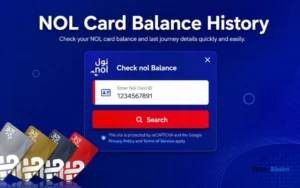
Step 3: Enter Your NOL Tag ID
Your 10-digit NOL Tag ID can be found on the back of the card.
Step 4: Verify Your Details
Finish up any verification that is required by the system.
Step 5: View Records
The system will show you the information that’s available for travel and transactions with your card.
Using the No Pay App to Check History
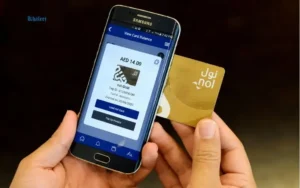
With the official NOL Pay application, you can easily get access to your card information from your smartphone.
Features Available
- Balance inquiry
- Card management
- Recharge services
- Travel history review
- Transaction tracking
- Card registration
The application features NFC technology for certain smartphone models, enabling users to directly interact with their cards.
Steps to View Transaction Records
- Open the app.
- Log in to your account.
- Go to the card info. Go to your card information.
- Click on Transactions or Balance History.
- Check on recent trips, recharges, and deductions.
The app might provide the ability to filter by date range, depending on the type of card and the account’s settings.
Read Also: LuLu ATM Balance Check
Check History at Metro Stations
Not all commuters are interested in online services. Dubai Metro stations have both physical and virtual ways to view card activity.
Ticket Vending Machines
Many stations in the metro have machines for self-service that can be set to show the following:
- Current balance
- Recent transactions
- Recharge details
Customer Service Counters
RTA customer service agents may also help you with transaction inquiries and card-related issues.
Common Reasons for Checking Travel History
Expense Tracking
Those who work in the profession and work daily may rely on transaction records for budgeting and expense tracking.
Employer Reimbursement
Certain companies will reimburse transportation costs and could ask for evidence of travel activity.
Recharge Verification
Users often go to their transaction history to make sure that their credits are applied correctly after topping up online.
Dispute Resolution
When reporting any problem to RTA support, travel history can be used to confirm whether the deduction was made properly or not.
Common Issues and Solutions
History Not Appearing
Possible causes include:
- System synchronization delays
- You have entered an invalid Tag ID.
- Temporary service interruptions
Missing Recharge
In the absence of a recent top-up:
- Wait for synchronization.
- If necessary, tap the card at a designated terminal.
- Check the confirmation of payment.
- If the problem continues, contact RTA support.
Incorrect Fare Deduction
Check the details of the trip and contact the RTA customer service with the information of the transaction for investigation.
Security and Privacy Considerations
The data from the transactions is personal travel data. Users should:
- Do not post pictures of the screens.
- Always log off from public devices.
- Protect account credentials.
- Add more protection to eligible cards.
Personalized cards offer greater protection when they are lost or stolen.
Best Practices for Managing Your NOL Card
Review Transactions Weekly
Frequent reviews enable problems to be identified early on and addressed.
Keep Your Card Registered
Registered cards provide other benefits of account management and protection.
Maintain Sufficient Balance
Examining transaction history can assist to approximately anticipate future travel expenses and prevent situations where too little money is on the balance.
Maintain Sufficient Balance
Never use unofficial RTA platforms and applications for access to card information.
Read Also: Al Ansari Exchange ATM Card Balance Check
Quick Lulu Exchange Salary Card Balance Check
Prepaid Card Enquiry Explained
Conclusion
One of the most valuable features that Dubai commuters can make use of is the NOL card balance check history. It shows you all trips, recharges, and fare deductions on an NOL card. From the RTA website, via the Nol Pay app, on the metro station machine,s or via the customer service centre, frequent check-ups of your transaction history can make it easier to manage your expenses, check your fares, and help you navigate the Dubai transport system seamlessly. According to sources, the RTA website and the official NOL Pay app are still the main sources of information on balance and transactions.
Frequently Asked Questions
What is the best way to find out how many times I have used my NOL card?
Travel history is available online via the RTA website, the NOL pay app, the ticket machines at the metro station,s and through the RTA customer service centers.
Can I view the ‘recharge history’ on my NOL card?
Yes. The typical transaction records contain amounts recharged, dates of recharges, and balances updated.
Is my NOL Tag ID required to check history online?
Yes. Most online transaction history services need the 10-digit NOL Tag ID that is printed on the card.
How can I view my NOL card history on my phone?
Yes. The official no-lay app is for checking balances and transaction history on compatible cell phones.
Are there any fees associated with using a NOL card to check transactions?
Typically, access to the transaction history is free of extra fees in official RTA digital services.