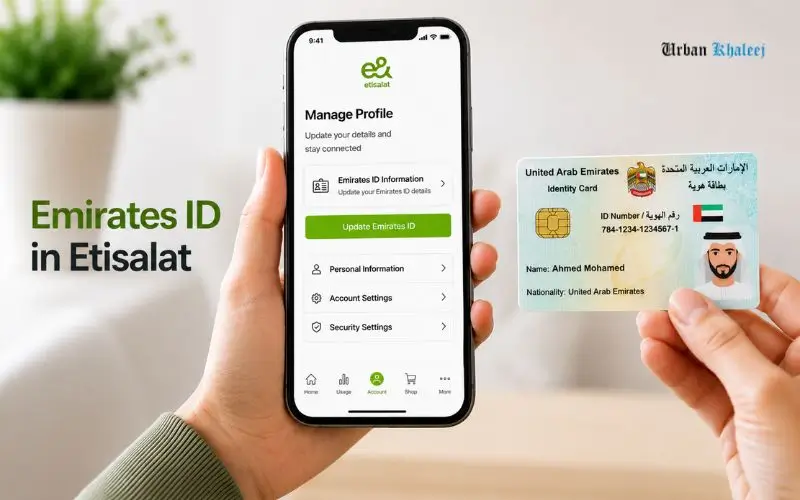
Mobile registration is important to keep updated to ensure uninterrupted services in the UAE. If you have renewed/ replaced your Emirates ID card recently, how to update Emirates ID in Etisalat as soon as possible to ensure that the information on your account is up to date. The process can be completed online, via UAE PASS or facial recognition, by most customers using the e& UAE app or official website. If online verification is not available, you can go to an e& Business Centre or a specified self-service kiosk. Regularly updating information on time ensures that your mobile service does not experience interruptions and that your mobile line is in line with UAE telecom requirements.
Why You Need to Update How to Update Your Emirates ID in Etisalat
If your Emirates ID expires and a new Emirates ID is issued, you will need to update the Emirates ID information on your e& mobile account as well. This is to comply with the UAE’s telecom customer registration requirements to ensure that all enabled SIMs are associated with genuine identity data.
There are steps you can take to ensure your Emirates ID is up to date:
- Ensure that your SIM remains registered.
- Prevent service suspension.
- Keep on receiving banking OTPs.
- Keep voice, SMS and data services running.
- Maintain a UAE-compliant customer profile.
e& reports that if a customer receives a notice to renew his/her mobile registration and does not do so, he or she may initially be suspended, and eventually lose the mobile numbers that are connected to the non-renewed registration.
When Should You Update Your Emirates ID?
Registration must be updated as soon as you receive your renewed Emirates ID and not wait for the reminder.
Common situations include:
- Emirates ID renewal
- Emirates ID replacement
- Expired Emirates ID
- New card issued for an Emirates ID-issued card was lost.
- This is a notification to renew the SIM card issued by e&.
e&’s official advice is that to ensure there is no disruption of service, customers should renew their mobile registration once their new Emirates ID is available.
Documents Required Before Starting
Before starting the update process, please ensure that you have:
Original Valid Emirates ID
The original, valid Emirates ID is required for self-service digital channels.
UAE PASS Account (Recommended)
The fastest way is to use UAE PASS, as it securely transmits the verified identity information to e&, which minimizes manual uploading of documents. You need to already have a verified UAE PASS account, and it needs to be connected to your current UAE ID.
Mobile Number Registered with e&
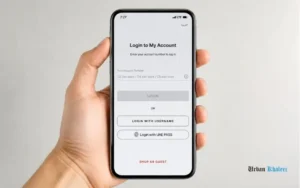
You must have your registered mobile number to receive any necessary OTP for verification.
Ways to Update Emirates ID in e&
There are currently three official ways e& provides:
1. e& UAE App
Best choice for most customers.
2. e& Official Website
Suitable if you prefer using a desktop browser.
3. e& Business Centre or Self-Service Kiosk
When online verification is not possible, or further biometric verification is needed, e& advises government/business entities and People of Determination to renew at the e& payment machines or outlets.
Read Also: LuLu ATM Balance Check 2026
How to Update Emirates ID in Etisalat Through the e& UAE App
Most customers can update Emirates ID details more quickly and conveniently using the e& UAE app. The entire digital registration process will only take a few minutes to complete, and if a request is made with UAE PASS, it’s usually approved within 2 hours, e& said.
Before you begin, please be certain you have:
- A valid renewed Emirates ID.
- Access to your registered mobile number
- A verified account from the UAE with PASS (recommended).
- The very latest update to the e& UAE application that you’ve installed on your device.
Update Using UAE PASS (Recommended)
e& recommends UAE PASS as it provides secure sharing of accurate identity information, reducing manual document uploads.
Sign In
Open the e& UAE app and log in to your account.
If prompted, click Sign in with UAE PASS.
You will already have a valid Emirates ID in your UAE PASS account.
Open Mobile Registration Renewal
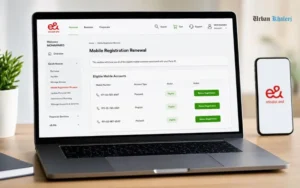
After signing in:
- Go to Quick Access
- Click on Mobile Registration Renewal
This section will show you all of the eligible mobile accounts associated with your Party ID.
Select the Mobile Number
If there are several numbers or accounts registered in your name, select the number/account to be renewed.
One benefit of e&’s registration system is that each primary account is updated, and as a result, the registration status for all eligible accounts with the same Party ID is also updated, which would not otherwise be necessary to do for each account.
Approve Document Sharing
This app takes you to UAE PASS.
Approve the request allowing UAE PASS to securely share your verified Emirates ID information with e&.
If the document is already available and verified in UAE PASS, then it does not need to be scanned manually.
Review Your Details
Your Registration Information will be displayed.
Check carefully:
- Full name
- Emirates ID number
- Contact details
- Mobile account selected
If it is correct:
- Please accept the Terms and Conditions.
- Submit renewal request.
How Long Does Approval Take?
UAE PASS-based renewal requests are normally successful within 2 hours after submission. Processing time varies from system to system, depending on verification, but the digital submission takes only a few minutes.
Update Using Facial Recognition
UAE PASS non-customers can also verify their identities using facial recognition.
This approach involves scanning an individual’s face against the identity data linked to their Emirates ID.
Verify with OTP
Open the e& UAE App.
Use the One-Time Password (OTP) received on the registered Mobile Number to log in.
Choose Mobile Registration Renewal
Navigate to:
Quick Access → Mobile Registration Renewal
Next, choose the account that you would like to update.
Scan Your Emirates ID
You’ll be asked to:
- Take a photo of the front of your Emirates ID.
- Take a picture of the back of your Emirates ID Card.
Submit on a clean, well-lit surface, making sure that all information is clearly visible.
Complete Facial Verification
The app will ask for camera permissions.
Perform a facial scan following the on-screen instructions.
Keep the light source well lit, do not put on sunglasses or face coverings, and keep the face in the center until the scan is successful. Biometric face verification is the basis for the UAE’s digital identity ecosystem, offering a secure and accurate way to verify identities.
Submit the Request
After successful verification:
- Check your contact information.
- Click to accept the Terms and Conditions.
- Please submit the registration renewal form.
How to Update Through the e& Website
Those who prefer to do everything online can also renew it from the official e& website.
The process is very similar to that of the mobile application:
- Log in to your e& account.
- Choose Mobile Registration Renewal.
- Check identity via UAE PASS or facial recognition.
- Review your information.
- Submit the request.
The registration process is the same on the website and app, so you can expect the same approval times.
What Happens After Submission?
After submitting your request, e& checks the identity information you provided via UAE PASS or facial recognition.
If the verification is successful:
- Your mobile registration has been updated.
- Your renewed Emirates ID will be linked to your mobile number.
- Usually no further treatment is necessary.
Where it is not possible to complete the verification process online, e& will ask you to go to an e& Business Centre or another location where verification can be completed.
Common Problems and How to Fix Them
UAE PASS Doesn’t Show Your New Emirates ID
Before beginning the e& renewal process, refresh/update your identity documents in UAE PASS if UAE PASS is still showing your old Emirates ID. UAE PASS is based on your verified UAE digital identity and Emirates ID information.
Facial Recognition Fails
Facial verification might not work when:
- Lighting is poor.
- You’re partially covered by your face.
- The Emirates ID scan is not clear.
- Camera permission is set to “Denied”.
Repeat the scan in a well-lit room, using the same Emirates ID, and make sure the camera is on. If it is unsuccessful after several attempts, then e& suggests an alternative supported renewal method, for instance an outlet or payment machine.
OTP Not Received
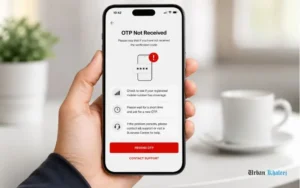
Please note that if you have not received the verification code:
- Check to see if your registered mobile number has coverage.
- Please wait for a short time and ask for a new OTP.
- If the problem persists, please contact e& support or visit a Business Centre for help.
How to Update Your Emirates ID at an e& Business Centre
The online renewal process works for most customers, but certain circumstances may result in a need for an in-person visit to an e& Business Centre or other service location. e& is saying that those who cannot digitally verify, but need to for their category of customer, can do so at various outlets or payment machines.
Think of visiting an e& Business Centre if:
- Facial recognition repeatedly fails.
- UAE PASS is not responsible for verifying your identity.
- Emirates ID information has just been updated but is not yet digitized.
- Please provide further verification of your identity with your account.
- You received instructions from e& to do it in person.
Bring your original valid Emirates ID with you to visit. The representative will be able to verify your identity and update your mobile registration via e&’s customer management system. Official e& guidance recommends securing personal information with the use of authorised service channels.
What Happens If You Don’t Update Your Emirates ID?
A lot of customers have to get a couple of reminders before they take action. But if you delay the update, then it could have an impact on your mobile services.
If you fail to renew your registration for mobile services after receiving the necessary notifications, your mobile services may be suspended first, according to e&. Should the renewal not be completed, the mobile number may be disconnected eventually, according to the regulations. It is a part of the UAE’s Know Your Customer (KYC) requirements for telecommunications providers.
Possible consequences include:
- Outgoing call blocking.
- Limited mobile data.
- Failure to send/receive SMS.
- Issues with bank/government OTPs.
- The registered SIM will be disconnected in the future.
When done, this update will help prevent any unnecessary downtime.
How Long Does the Entire Process Take?
It will take a total time, depending on the method used for verification.
| Method | Estimated Time |
| UAE PASS | Submission takes a few minutes; e& states requests are generally approved within 2 hours. |
| Facial Recognition | Usually a few minutes if verification succeeds on the first attempt. |
| Business Centre | Depends on customer traffic and document verification. |
Most digital renewals take place quickly, although more complicated verification cases may be delayed if further verifications are needed; e& recommends completing it well before your current registration expiration.
Can You Update Multiple e& Numbers at Once?
Yes—in many cases.
If there are multiple eligible mobile numbers linked to the same Party ID, the e& will be used to indicate that updating the mobile number on the primary customer profile may update all the eligible mobile numbers. This means that the verification task would not have to be repeated for each number.
If the numbers are assigned to different customer profiles or Party IDs, however, then each profile needs to be renewed independently.
Read Also: Nol Card Balance Check History:
Common Mistakes to Avoid
The process of updating Emirates ID is simple, but some common pitfalls can result in a delay in the process.
Waiting Until Services Are Suspended
A lot of users ignore reminders and just think that it can be done later. Renewing the Emirates ID shortly after getting your new ID means that there is less risk of disruption to services.
Using an Expired Emirates ID
Mobile registration renewal is only available for a valid Emirates ID. If your card has not yet been released, wait until it is available to try the update.
Poor Document Scans
If you are using facial recognition, then:
- Make sure that the Emirates ID is clean.
- Don’t expose it to glare or reflections.
- Put the Card on a flat, lighted surface.
- Ensure that all text is easily readable.
A frequent cause of failure of verification is blurred images.
Outdated UAE PASS Information
In the case that your new Emirates ID does not appear in UAE PASS, the identity verification process might not succeed. Before you begin the renewal process, check to see that your UAE PASS profile is up-to-date.
Security and Privacy During the Update Process
Emirates ID update process requires verification, and safeguarding personal information is a must.
To stay secure:
- Only download the official e& UAE app or e& website.
- Avoid sharing OTP with anyone!
- Don’t submit identity documents to unofficial websites.
- Log out of the system when finished, particularly from community devices.
- When entering personal data, make sure that it is done on a secure network.
UAE’s digital identity ecosystem, UAE PASS, is designed to enable secure authentication and minimise manual handling of documents.
Expert Tips for a Faster Update
Here’s how you can make the process go smoothly:
- Replace your Emirates ID before its expiration date, if possible.
- Do not forget to turn on and test UAE PASS before using it.
- Ensure that the e& UAE app is up to date.
- Make sure to keep your registered mobile no. active for receiving OTPs.
- Face identification in well-lit conditions.
- Please do not ignore multiple reminders from e&.
- After your renewal request has been made, save the confirmation message.
Practices like these can help prevent delays and the risk of requiring an in-person visit.
Who Needs to Update Their Emirates ID?
It applies in general to the following:
- Citizens of the UAE who have e& services as their telecom operator.
- Citizens of the UAE who have an Emirates ID.
- Individual prepaid customers.
- Individual postpaid customers.
Some customer types (such as government accounts, corporate accounts, or People of Determination) might benefit from alternative renewal options presented by e&. It is recommended to follow the directions given by e& for these categories of customers.
How to Check Whether Your Update Was Successful
Once requested, you can check for renewal by:
- Looking for an e&confirmationm message.
- Checking the status of your account in the e& UAE app.
- Signing into your e& account on e& website.
- If you don’t get confirmation in the timeframe that you anticipate, contact e& customer support.
When the system asks for further verification, complete as soon as possible to prevent delays.
Additional Research Completed Before Writing
I went through this last official e& guidance and the e& registration FAQ to find info that a lot of other articles are missing in this final section.
New Verified Findings
- e& gives customers a grace period before disconnection.
Don’t forget to renew your Emirates ID or your line is not cut immediately. e& says that customers get grace periods. The line is closed during this time. Eventually, the number is disconnected if it is not registered again.
- Cannot be renewed when the ID expires.
You are not required to update it only once when you get your Emirates ID. Your Emirates ID renewal will occur along with the renewal of your mobile registration with e& every time you renew your Emirates ID.
- The self-service channels only accept the original Emirates ID.
The Emirates ID (original copy) is the identity document accepted for renewals via the e& UAE app or website. Other IDPs are limited to certain types of customers (GCC nationals, business/government entities).
Troubleshooting Advanced Issues
Most articles end with the steps for renewal. But there are cases where some customers find themselves in need of more action.
Your New Emirates ID Is Not Yet Available Digitally
In case a new Emirates ID document has been issued recently and it is not appearing during verification, please wait until the system from which the Emirates ID was connected is updated with the new ID before resuming the verification process. If the verification fails, the reason can be that an attempt was made to renew before the updated record was synchronized.
You Received an SMS but Already Renewed
The SMS reminder service is sometimes sent to customers just after they have submitted the renewal request.
- If you have already completed the process:
- Allow sufficient time for processing.
- Please confirm your renewal status on your e& account.
If reminders persist following your renewal, please reach out to e& support.
Your Line Was Suspended
If the mobile service has already been suspended due to your registration having expired:
- Fill in the Emirates ID renewal as soon as possible.
- Wait for verification to be processed to receive the verification.
- If you do not have your services restored following approval, please contact e& customer support or visit an e& Business Centre.
Your account will return to normal status as soon as possible if the renewal is finished early.
Best Practices to Keep Your Registration Active
These are some of the recommendations for avoiding future disruptions:
- Re-issue your Emirates ID before it expires.
- Please update your e& mobile registration right after receiving the new Emirates ID.
- Ensure your UAE PASS account is verified and has all the information updated.
- Make sure your registered mobile phone is active to receive OTPs and service notifications.
- e& reminder SMS messages: Do not ignore.
- Update the e& UAE app to the latest updates.
These common practices ensure that you have access to voice, SMS, mobile data, government services associated with your number, as well as banking OTPs without any issues.
Final Thoughts
It’s a critical and swift process to update your Emirates ID with e& UAE to ensure seamless mobile service. It can be done online via the e& UAE app/website or at an e& Business Centre if necessary. It is best to update your details as soon as possible after receiving your renewed Emirates ID to avoid service disruptions. The verification process is faster and more convenient with UAE PASS. Having an up-to-date registration also means that your account meets the UAE telecom standards. It can take just a few minutes to update your info and save you from unnecessary delays or service suspension.
Read Also:10 Common Personal Loan Mistakes to Avoid in the UAE
FAB Prepaid Card Inquiry: Check Balance, Card Status & Transactions
DIB ATM Near Me: Find Dubai Islamic Bank ATM Locations Easily
Frequently Asked Questions
How do I update my Emirates ID in Etisalat online?
To renew your Emirates ID, log in to the e& UAE app or the official e& website, choose Mobile Registration Renewal, verify identity via UAE PASS or facial recognition, check your information, and submit the request.
Is UAE PASS required to update my Emirates ID?
It is recommended to renew using UAE PASS. UAE PASS, which is available and makes the identity verification process easy, but e& also supports renewal via the valid Emirates ID by facial recognition.
How long does e& take to update an Emirates ID?
e& says the digital renewal process only takes minutes to complete via UAE PASS, and requests are usually processed within 2 hours.
What happens if I don’t update my Emirates ID with e&?
If mobile registration is not renewed, this can result in a grace period, after which your service will be deactivated and eventually the mobile number linked to the registration, if the latter has not been renewed.
Can I update all my e& mobile numbers at once?
Yes. If the mobile numbers you are eligible for have the same primary Party ID, all the mobile numbers are updated when the registration is renewed without needing to renew any of the numbers separately.
Can I update my Emirates ID in Etisalat without visiting a branch?
Yes. It can be updated online via the e& UAE app or official e& website with UAE PASS or facial recognition.
What documents are required to update an Emirates ID in Etisalat?
Emirates ID is required. Users might also require a verified UAE PASS account or OTP verification.