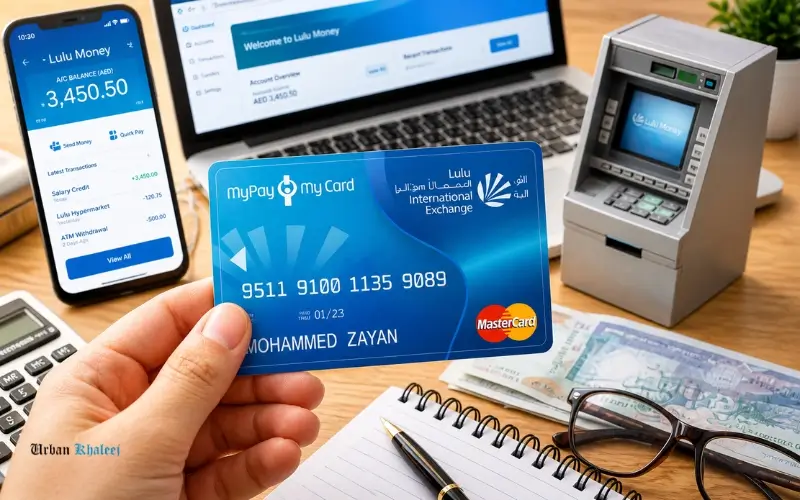
It is very important to manage your balance on your salary or prepaid card, particularly when you rely on a payroll system to earn your monthly salary. Monitoring your money will help you to prevent such pitfalls as low balance, transactions being reversed, or you finding money missing somewhere. This guide covers simple and easy steps to Lulu balance enquiry, so that you can check your balance easily, safely, and without any confusion.
Regardless of whether you are using a LuLu salary card, prepaid card,d or a linked bank account, knowledge of these options will help you stay abreast of your money. It is all presented in a clear manner to be able to select the method that will work best with you.
What is Lulu Balance Enquiry?
Lulu balance enquiry: This is how you check the amount of money you have in your prepaid/salary card that is issued by LuLu. The cards are commonly utilized in the delivery of payroll, particularly to employees who do not have conventional bank accounts.
LuLu cards are normally issued in collaboration with key financial institutions like the First Abu Dhabi Bank (FAB) and the former National Bank of Abu Dhabi (NBAD). Such alliances guarantee convenient and safe financial services.
The system is especially prevalent in the UAE, where employers mostly use payroll cards to pay their salaries.
Why Checking Your Balance Regularly Matters
Frequently, checking balances assists you in:
- Eliminate transaction reverts because of inadequate funding.
- Track the deposits and deductions of salaries.
- Early detection of unauthorized transactions.
- Plan expenses effectively
Salary cards are the most important financial instrument in the hands of many users in the UAE, and balance awareness is essential.
Main Methods to Check Lulu Balance
A number of proven ways are known to check your balance on your LuLu card. Each system applies to various user preferences, be it online, offline, or mobile-based.
ATM-Based Balance Check
The simplest of the ways is to use an ATM that connects to your card provider.
To check your ATM Balance, you can go to any supported ATM (especially the FAB machines), insert your card, enter your PIN, and select the balance inquiry option.
This is a sure way of doing it, even without the internet.
Mobile App and Online Banking
Numerous users choose digital channels like mobile applications and web portals.
In case your LuLu card is issued by FAB, you can use the official banking app of FAB Balance Check or Fab Bank Balance Enquiry. With the help of these platforms, you can:
- View real-time balance
- Track recent transactions
- Download account statements
This is a particularly handy method for those users who require constant monitoring.
SMS and Helpline Services
Some payroll systems can send balance checks via SMS, such as the Ratibi Balance Check Number service.
To get your balance in real time, you just send a pre-set message or dial a pre-set number. This comes in handy where the internet is not easily accessible.
Online Portal Access
Another effective tool is the LuLu exchange balance inquiry online, where its users log into its secure portal using their credentials.
This option supports:
- Prepaid Card Enquiry
- Transaction history review
- Account updates
Comparison of Balance Check Methods
| Method | Speed | Internet Required | Best For |
| ATM Check | Instant | No | Quick access without mobile data |
| Mobile App | Instant | Yes | Daily monitoring and tracking |
| SMS / Helpline | Fast | No | Basic phones or remote areas |
| Online Portal | Instant | Yes | Detailed account management |
How to Check Lulu Salary Card Balance
And when you get your salary through a LuLu payroll system, you are using a LuLu salary balance enquiry method.
These cards are usually referred to as LuLu payroll card balance tools, which are meant to serve those employees who might not have been able to open a bank account.
The way you can check is as follows:
- Access FAB ATMs to get quick access.
- Open your related banking application.
- Avail inquiry services based on SMS.
- Access employer-provided portals
Viewing Transaction History Online
You are able to check your transactions online in the app or on the site associated with your card, like First Abu Dhabi Bank.
To view your last payments, withdrawals, and updates to your balance, log in and open the section titled Transactions. This will assist you in monitoring your expenditures and being on top of things.
Common Keywords Users Search For
The users tend to search with related words depending on their needs. These include:
- LuLu balance check– This is commonly used to find out in a hurry, in general ways of checking your balance on your credit card or your pay.
- LuLu card balance check – Specializes in checking balance, specifically cards issued by LuLu.
- LuLu prepaid card balance- This is utilized by users of prepaid cards who wish to check the amount they have.
- NBAD Balance Inquiry: It is used to refer to balance checking techniques that are associated with the previous NBAD services.
- FAB Balance Check– Typically entered to check the balance using the systems of the First Abu Dhabi Bank.
- Nol Card balance – Refers to the checking of the balance of the Nol Card using online services.
Learning these differences enables you to discover the appropriate approach more quickly.
Step-by-Step: ATM Balance Check
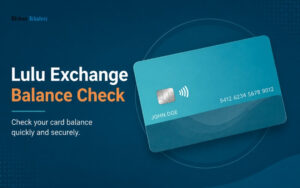
To do a balance check through the ATM:
- Insert your LuLu card into the ATM.
- Please insert your PIN.
- Select “Balance Inquiry”
- View or print your balance.
It is among the most popular ways of Lulu balance enquiry, particularly for users who are not equipped with smartphones.
Security Tips When Checking Your Balance
It is critical to keep your financial information safe. Follow these precautions:
- Do not give out your PIN or OTP to anyone.
- Only use official applications and validated portals.
- Do not use your balance on any public Wi-Fi.
- Periodically check transactions to note suspicious activity.
Common Issues and Solutions
Card Not Working at ATM
You are not able to use your card; it might be because of the network compatibility, or you have not inserted your card correctly.
Solution: ATMs of the First Abu Dhabi Bank are recommended because they accept most of the LuLu cards. Also, make sure that you insert your card correctly.
Incorrect Balance Display
In some cases, the balance might not reflect immediately that a transaction has been made.
Solution: Wait a few minutes and check again, as system delays can occur.
Login Issues Online
In the event that you are unable to log into your account online, it is typically because of an incorrect set of credentials or a malfunction of the system.
Solution: Change your password via official methods or get customer support to help you change your password.
Who Uses Lulu Balance Services?
LuLu cards are very popular among:
- Staff on payroll schemes.
- Employees who do not have conventional bank accounts.
- Staff on a contract basis who are paid a monthly wage.
Such services are especially designed to promote financial inclusion in the UAE.
Tips to Make the Best Use of Your Salary or Card Balance
Smarter management of money and daily Lulu balance check can also help you to better manage your money and to avoid financial problems.
Manage Your Spending Smartly
Here are some of the easy habits to follow:
- Always do a Lulu balance enquiry before spending.
- Establish a budget of what you need every month.
- Avoid unnecessary withdrawals
- Keep a diary of your expenses.
Use Alerts and Updates
Keep track of your balance:
- Receive alerts to monitor your balance conveniently.
- Checks updated at the time of salary credit.
- No low balance problems.
- Budget your plans according to your balance.
Future of Payroll Card Systems
The development of digital banking is rapidly changing payroll card systems. Essentials such as instant notification features, mobile wallet features, and improved security features are becoming the norm.
Lulu’s balance enquiry process is projected to be even smoother with real-time data and AI-powered financial perspectives. This will also enhance the user experience and financial management.
Conclusion
It is so much easier to manage your finances when you know the available tools for tracking. And, starting with ATM access, or moving on to mobile apps and SMS services, the lulu balance enquiry provides a range of dependable options, depending on the needs of different users.
Whichever system you use, be it based on a payroll card or prepaid system, ensuring the right method to use will ensure that you have easy access to your funds and you have better financial control. Through secure channels and regular checks, you will be able to prevent any surprises and keep aware of your account at all times.
FAQs
What is the fastest way to check my Lulu balance?
You may check it immediately through the ATM, mobile application, or SMS service, depending on your card issuer.
Does the Lulu balance enquiry require the internet?
No. ATM and SMS are internet-independent.
How can one easily check the balance of LuLu’s salary?
The easiest and quickest way is to use a FAB ATM.
Is it possible to check the balance of a Lulu prepaid card online?
Yes, by official services or banking applications connected to your card.
Ratibi, balance check number?
It is an SMS or call-based service that is used to make quick balance inquiries on payroll cards.
Why can I not see my balance updated?
Transactions can take a long time to process; retry in a few minutes.
Is the Lulu balance enquiry safe?
Yes, provided that you are using official platforms and are not sharing sensitive information.