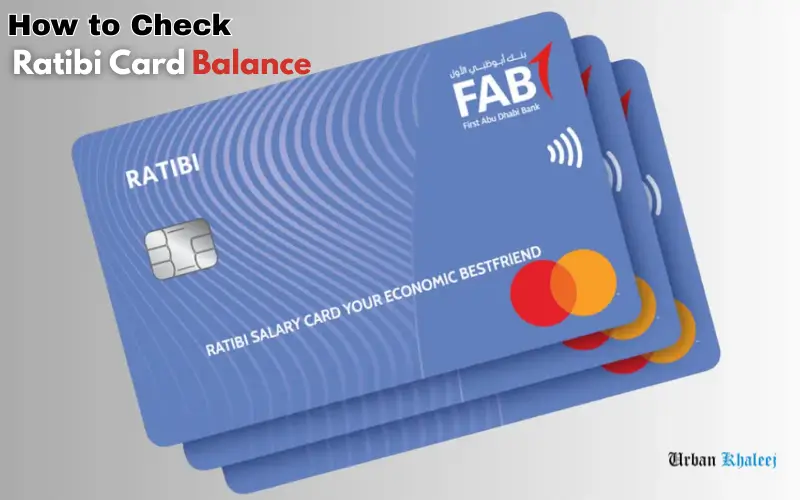
It is easy to way to check Ratibi Card balance in just minutes. Ratibi is a prepaid salary card that First Abu Dhabi Bank issues to employees without a bank account. You can track and confirm your expenditures and check if your salary was credited using the online or offline options.
The guide will explain in plain and simple English how to use your Ratibi Card balance, whether you’re using it for the first time or not.
What Is a Ratibi Card?
Ratibi is the name of a pre-paid salary card issued by First Abu Dhabi Bank. The card allows UAE employees to get their salaries without having to open a bank account. The UAE Wage Protection System allows employers to transfer salary directly onto the card.
The Ratibi Card can be used to make payments online, pay for purchases, reload mobile credits, or withdraw cash in the UAE.
Different Ways to Check Ratibi Card Balance
You can check your Ratibi card salary using any of the following methods:
| Method | Internet Needed | Best For |
| FAB Website | Yes | Desktop users |
| FAB Mobile App | Yes | Smartphone users |
| Payit App | Yes | Salary + wallet users |
| SMS Alerts | No | Automatic updates |
| ATM Balance Inquiry | No | Offline checking |
How to Check Ratibi Card Balance Online (FAB Website)

Check your Ratibi Card balance by visiting the FAB Balance Inquiry page.
Simple steps to follow:
- Visit the FAB official website
- Log in by clicking on the Login button.
- Choose Ratibi Prepaid card balance inquiry.
- The last two digits are your Ratibi Card number.
- Your Card ID is located on the front.
- Click Here
Instantly, your available salary will be displayed on screen.
Ratibi Card Salary Check Using Mobile Application

Salary checks can be madeeasilyy and quickly with mobile applications, particularly for employees who use smartphones to perform their daily tasks.
Download the Payit App
Payit is compatible with both Android and iOS. This is an FAB-supported digital wallet that can be used to access Ratibi Card services.
Register Your Account
The user must register their details using both the mobile number and the Emirates ID. Registration is easy and step-by-step guided.
Link Your Ratibi Salary Card
After registering, you can link your Ratibi Card to the app using its card number. You can now access your salary and transaction history directly from the app.
OTP Verification Process
FAB will send a One-Time Password (OTP), for security reasons, to the mobile number you have registered. The verification is completed by entering the OTP.
View Balance and Salary Details
Users can view instantaneous results after verification:
- Salary balance
- The last salary is credited.
- Transcripts of transactions
How to Check Ratibi Card Balance Using Payit App

Payit, powered by the FAB app, offers one of the easiest methods to manage your Ratibi Card.
How to Use Payit
- Payit App: Download it and launch the app
- Select Ratibi Cardholder
- Your Emirates ID can be scanned.
- The last two digits on your Ratibi Card
- Please enter your card ID and mobile phone number.
- Check the OTP sent via S.M.S.
- You can create a PIN with 4 digits.
You can view your pay balance instantly, make payments, and send money once you are linked.
Check Ratibi Card Balance via SMS Alerts

FAB Customer Support or any FAB branch can help you activate the SMS Alerts on your Ratibi Card.
You will be able to:
- Get instant notification when your salary is credited
- Receive transaction updates for every withdrawal or payment.
- You can check your balance online without the Internet.
Users who don’t have smartphones will find this method ideal.
Check Ratibi Card Balance at ATM (Without Internet)

You can also check your balance if you don’t have access to the internet.
Steps:
- Visit any UAE ATM or a FAB ATM.
- Insert your Ratibi card
- Please enter your PIN.
- Select Balance Inquiry
You can see your balance on screen and print out a statement, if necessary.
Who Can Use the Ratibi Salary Card in UAE?
Ratibi cards are commonly used for:
- Private sector employees
- Home workers
- Staff for construction and labor
- Employees of small and medium enterprises
- WPS Workers are registered
The Ratibi Card is issued by employers to make sure that salaries are being paid in accordance with UAE labor law.
How to Activate a New Ratibi Card

Before using a new Ratibi Card, it must first be activated. You can activate your card by:
- FAB ATM
- FAB Branch Assistance
- App Payit in certain cases
The user must set up a PIN when activating the card. This is required for ATM withdrawals as well as balance checking.
What to Do If Your Ratibi Salary Is Not Credited
Your salary may not be shown on your Ratibi Card:
- Confirm the date of your salary with your employer.
- Verify that your employer is using WPS to process salaries.
- After salary processing, wait 24 hours.
- If the problem persists, contact FAB Customer Support.
Benefits of Using a Ratibi Card
- No bank account required
- Paying salaries with confidence and security
- Cash withdrawals made easy.y
- Work across UAE ATMs, stores, and shops.
- Support for online shopping and payment
Conclusion
It is easy to check the balance of your Ratibi Card. FAB offers a variety of convenient ways to check your balance, including online, via mobile applications, SMS notifications, and at an ATM. You can better manage your salary and prevent payment problems by regularly checking your account balance.
Frequently Asked Questions
1. Can I check my Ratibi card salary without internet?
You can also check the balance of your Ratibi Card at any FAB machine without having to use the Internet.
2. Is the Payit app free to use for Ratibi card salary check?
Payit is a free app that you can download to check your Ratibi Card salary.
3. How often is salary credited to a Ratibi card?
The UAE Wage Protection System provides a schedule for the calculation of salary.
4. Can I withdraw cash from any ATM using a Ratibi card?
You can withdraw money from ATMs in most UAE locations; however, FAB ATMs will save you extra fees.
5. How can I check Ratibi card transaction history?
Payit’s mobile app allows you to check your transaction history. You can also request a mini-statement at any ATM.
6. What should I do if my Ratibi card salary is not credited?
Contact your employer first. Contact FAB Customer Support or visit an FAB branch if the problem persists.
7. Is Emirates ID required to check Ratibi card salary?
Emirates ID does not need to be used for checking balances, but is required for activating cards and making support requests.
8. Can I use my Ratibi card for online shopping?
The Ratibi Card can be used to make online payments and for in-store purchases wherever debit cards are accepted.
9. How do I reset my Ratibi card PIN?
If you have a valid ID, then you can change your PIN by visiting any FAB branch or an ATM.
10. Can I transfer money internationally using a Ratibi card?
Payit supports international money transfer to countries that are supported.