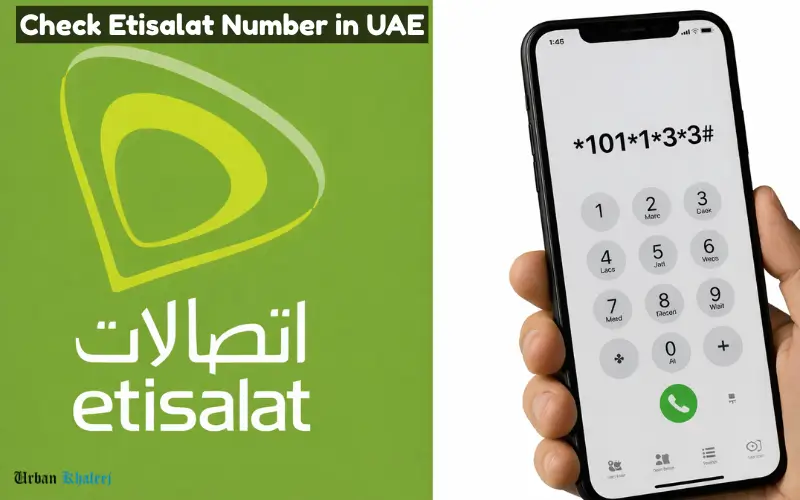
To check your Etisalat (E&UAE) mobile number, the fastest way is to dial *101# or the direct code *101*1*3*3#. Alternatively, use the My Etisalat UAE app, check the physical packaging of the SIM card, or send an SMS with “HELP” to 1012. These methods work for both prepaid and postpaid lines.
There is a reason why the Etisalat network is among the biggest and most trusted telecom service providers within the United Arab Emirates (UAE). If you’re an individual, tourist, or business customer, having your Etisalat number is crucial for messages, calls, as well as online registration and the management of your accounts. Most people don’t remember their personal mobile number or are unable to locate it, particularly after acquiring a new SIM card. This guide will explain all the ways, codes, and other tools that can be used to verify your Etisalat number easily and quickly.
How to Check Etisalat Number in 2026
| Method | Code / Process | Notes |
| USSD | *1# | Fast, works offline |
| SMS | Text “NUM” to 121 | Charges may apply |
| My Etisalat App | Open app → Profile | Displays number and account details |
| Phone Settings (Android/iPhone) | Settings → About Phone | Works on most modern smartphones |
| Customer Care / Store | Dial 101 / Visit store | For verified assistance and issues |
Overview of Etisalat Number Check
An Etisalat number is a unique mobile number that is assignetoor the SIM card. It’s tied to your postpaid or prepaid account and is needed to use all mobile communications within the UAE.
It is vital to know your phone number for a variety of reasons.
- Receiving and sending messages, or phone calls
- activating mobile and online applications
- IToregister for government services
- Verifying your identity on your online account
Etisalat provides both prepay and postpaid options. The method used to verify your account number may be different dependingon the kind of SIM that you own.
Methods to Check Etisalat Number in the UAE
There are a variety of methods to verify your Etisalat number, ranging from easy codes to apps for smartphones. You will be able to get your numbers no matter if you’re connected online or not.
Using USSD Codes
This USSD number is the quickest method to verify your Etisalat number, without the internet.
How to verify your USSD # using the USSD:
- Start the dialer on your phone.
- Call *1#, then press the button to call.
- Watch for a pop-up to appear to display the Etisalat number.
Notes:
- It is suitable for prepaid as well as postpaid customers.
- There is no internet connection or application needed.
- Check that you have your SIM is in use and has been inserted properly.
A few older SIMs could make use of *101#, or similar variants. If a code doesn’t function, you can try it using SMS or an application.

Using SMS to Retrieve Your Number
Etisalat also offers an easy SMS-based way of checking the mobile number of your account.
Steps:
- Use your messaging app to access it.
- Write a message in a new format using the message NUM.
- Make it available to the number 121 (Etisalat Service number).
- Then you will receive an auto SMS with an answer displaying the Etisalat number.
Advantages:
- Works even if USSD codes fail.
- It is useful for older devices that don’t allow USSD pop-ups.
Limitations:
- SMS charges may apply to customers who are prepaid.
- Basic network connectivity is required.
Using Etisalat App (My Etisalat / Self-Service)
The My Etisalat application (available on both Android and iOS) is a great tool to check your phone number as well as monitor your mobile account.
Steps:
- Install My Etisalat App through Google Play Store or Apple App Store.
- Log in to the application and log in using your Etisalat account or by verifying with your SIM.
- Go to “My Account” or “Profile” section.
- Your phone number will appear alongside plan information, as well as balance and usage.
Advantages:
- It is suitable for both prepay and postpaid customers.
- Other features are available, such as checkingthe balance and recharging. It also allows plan renewal and information about usage.
- There is no need to keep track of codes.
TIP: Make sure you keep this app running to ensure future account verification as well as number administration.

Checking Number via Phone Settings
Many smartphones display your mobile phone number within the settings of your device.
For Android:
- Open Settings.
- Go to About Phone – Status – SIM Status.
- Your Etisalat number may show under “My phone number” or “SIM number”.
For iPhone:
- Open Settings.
- Go to Phone – My Number.
- It will display your Etisalat number.
Notes:
- The number might not be displayed when the SIM was last activated.
- The process of restarting the phone or reinstalling the SIM could aid.
Etisalat Customer Support Options
If the above methods do not work, or if all other methods fail, get in touch with Etisalat customer service to get the number.
Contacting Etisalat Helpline
- Call 101 from your Etisalat number to receive immediate assistance.
- International calls can be made by dialing 071 800-101.
- Customer service will verify the authenticity of your account and give you a number right away.
Visiting an Etisalat Store
- Etisalat operates physical stores across the entire Emirates, which include Dubai, Abu Dhabi, Sharjah, Ajman, and Ras Al Khaimah.
- You must bring your passport along with your Emirates ID to verify.
- The staff can give you a phone number and help with any questions regarding your account.
Online Support
- Go to the official Etisalat UAE website, and make use of the live chat service.
- This helps verify the number of Reactivating SIMs as well as solving problems.
Tips for Etisalat Number Verification
To ensure a smooth number check experience:
- Make sure you have a SIM in use: Active or newly issued SIMs might not display your number at the moment you enter it.
- Be aware of the type of SIM you have: The type of SIM you have, postpaid or prepaid, could determine which one is the most effective.
- Be sure to have your NOL card or ID handy to ensure your account is verified when visiting an establishment.
- Make sure to use only official tools in order to stay clear of scams and fake USSD codes.
- Make sure to double-check the settings or app following a check by USSD or SMS to confirm.
Final Thoughts
Being aware of the Etisalat number is crucial to communicate with your customers for account verification, as well as using the online service. One of the most convenient and efficient methods is to use your USSD # *1#, while the My Etisalat application provides an up-to-date,e easy-to-use solution. If you want to verify offline, phone options or customer support are both reliable choices.
Following this step-by-step guide, de it is easy to verify your account number, handle your account in a way that is efficient, ent and remain connected throughout the times, at times including Dubai, Abu Dhabi, Sharjah, Ajman, as well as other cities.
Keep your phone number in mind, and regularly verifying it will ensure a seamless mobile experience. It also prevents problems regarding online services, messaging, or registrations for official purposes.
Related Blogs:
FAB Balance Check
NBAD Balance Check
FAB ATM Balance Check
FAB Bank Online Account Opening is Quick and Easy
Frequently Asked Questions
1. Do I find out my Etisalat number right away?
Enter *1# using your Etisalat SIM or use the My Etisalat application.
2. What’s the USSD code that I can use to verify my Etisalat number?
The most common number is *1#. often *101# on older SIMs.
3. How to know etisalat number with no internet access?
Yes, through USSD codes or via SMS method.
4. How can I get my Etisalat number in case I lose my SIM?
Stop by the Etisalat retailer using the Emirates Passport or ID.
5. Does the Etisalat application show my phone number in the list of prepaid customers?
Both prepaid and postpaid customers can see their account numbers and information within the application.